
Release 54
Author Release 54
8 min read
2026/11/24
Enhanced AI-Powered Speech Assessment, More Connected Digital Books and Streamlined Content Creation
Avallain Author Release 54 introduces enhanced AI-powered feedback for speech assessment, new ways to connect, enrich and customise Digital Books, greater flexibility in activity creation and continued accessibility improvements. This release also brings new authoring and publishing tools designed to reduce repetitive tasks and give content creators greater control over their digital learning materials.
Enhanced AI-Powered Feedback for Speech Assessment
The Voice Activity Type (Input:Creative:Voice) now offers greater flexibility in configuring AI-powered assessment and feedback, allowing content creators to guide evaluations according to their pedagogical objectives and assessment criteria.
- Enhanced Feedback: Provide custom AI instructions defining how grammar and vocabulary should be assessed in learners’ recordings, including criteria informed by frameworks such as the Common European Framework of Reference for Languages (CEFR).
- More Detailed Context: Include longer and more comprehensive contextual descriptions to guide AI evaluations according to the specific requirements of an activity.
- Dialect Selection: Specify the English dialect learners are expected to use, with American and British English currently supported.
- Flexible Feedback Presentation: Design Pack developers can now access the complete AI-generated report, giving them greater flexibility in how assessment results and feedback are presented to learners.
These enhancements give publishers and institutions greater control over AI-powered speech assessment and the opportunity to provide feedback that is more relevant to their learning objectives.
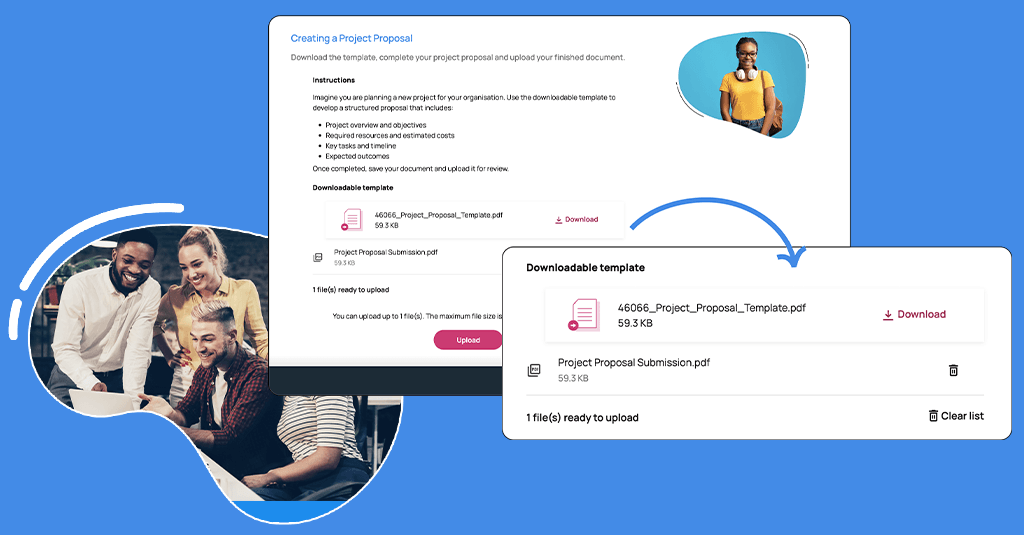
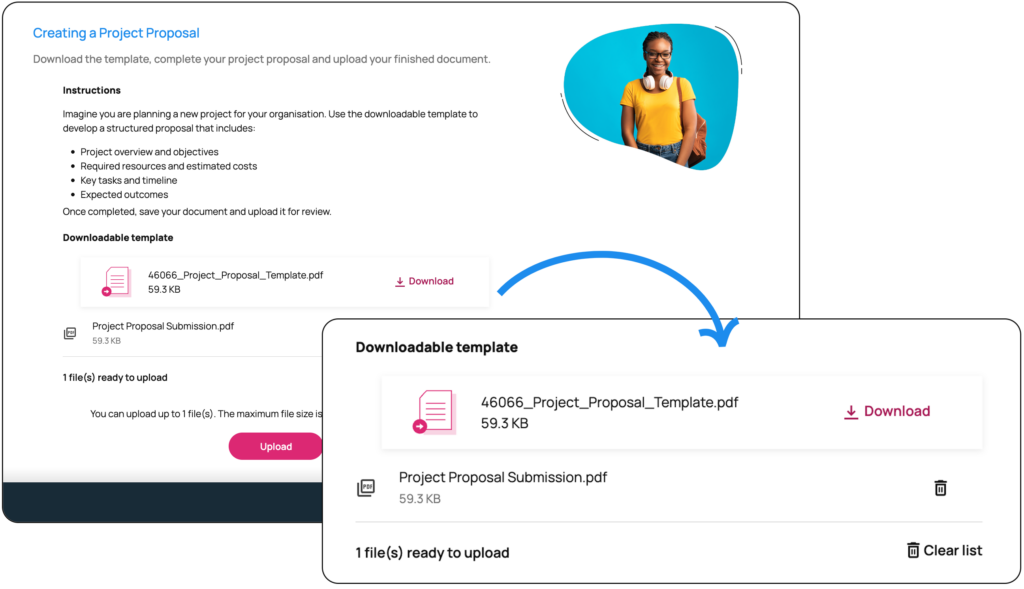
Downloadable Templates for Upload Activities
Building on the Upload Activity Type (Input:Creative:Upload) introduced in Release 53, content creators can now include downloadable template files to guide learners in completing their tasks.
- Guided Task Completion: Provide worksheets, document templates, project outlines or other supporting files that learners can download and use to complete an activity.
- Multiple Templates: Include multiple downloadable files within an activity, each presented with its own download button.
- Cross-Device Availability: Learners can download template files on desktop, tablet and mobile devices.
This enhancement opens up new possibilities for structured assignments, project-based learning and practical assessments across different educational sectors.
Enhanced Digital Book Creation, Navigation and Interactivity
Avallain Author Release 54 introduces a wide range of Digital Book enhancements, enabling publishers and institutions to create more connected digital learning materials, make better use of existing PDF content and gain greater control over its presentation and delivery.
Automated and Multi-Level Tables of Contents
- Automatic Table of Contents Generation: Generate a Digital Book’s table of contents directly from bookmarks in the original PDF, reducing manual configuration in Bookmaker.
- Multi-Level Navigation: MercuryBook and MercuryPrimaryBook now support nested, collapsible table of contents entries, with visual indicators highlighting the current page.
Connecting Learning Objects and Digital Books Across Projects
- External Learning Object Hotspots: Link Digital Books to Learning Objects located in other Avallain Author projects, opening up new opportunities to reuse existing interactive content across publications.
- Cross-Book Page Link Hotspots: Create direct links from a page in one Digital Book to a specific page in another, including books created in different Avallain Author projects.
- Navigation Between Related Digital Books: When using Avallain Author in conjunction with Avallain Magnet and the relevant MercuryBook Design Packs, content creators can map corresponding pages across related publications, such as Student Books and Workbooks. Navigation links can also be configured according to user roles.
Externally linked Learning Objects and Digital Books must be published separately, and cross-book navigation requires support from the hosting platform.
Support for Native PDF Hyperlinks and Form Fields
Digital Books can now make greater use of interactive elements already present in their original PDF files.
- Internal Hyperlinks: Existing links within PDFs allow learners to navigate directly to specific pages in the Digital Book.
- External Hyperlinks: Links to external resources open in a new browser tab.
- Fillable Form Fields: Learners can interact with existing PDF form fields directly within the Digital Book, with screen reader announcements supporting users of assistive technologies.
PDF form fields are particularly useful for short practice tasks and in-session activities, as the information entered is not retained across sessions.
Greater Control Over Solution Pages and PDF Protection
- Solution Page Visibility: Configure whether the Show Solutions button is available to all users, teachers only or no users, providing greater control over access to answer pages. Teacher-only visibility requires a hosting platform that communicates user roles, such as Avallain Magnet.
- Original PDF Protection: An optional PDF obfuscation setting provides an additional layer of protection against the extraction of usable copies of original PDF files through browser developer tools. This setting can be enabled by contacting Avallain Support.
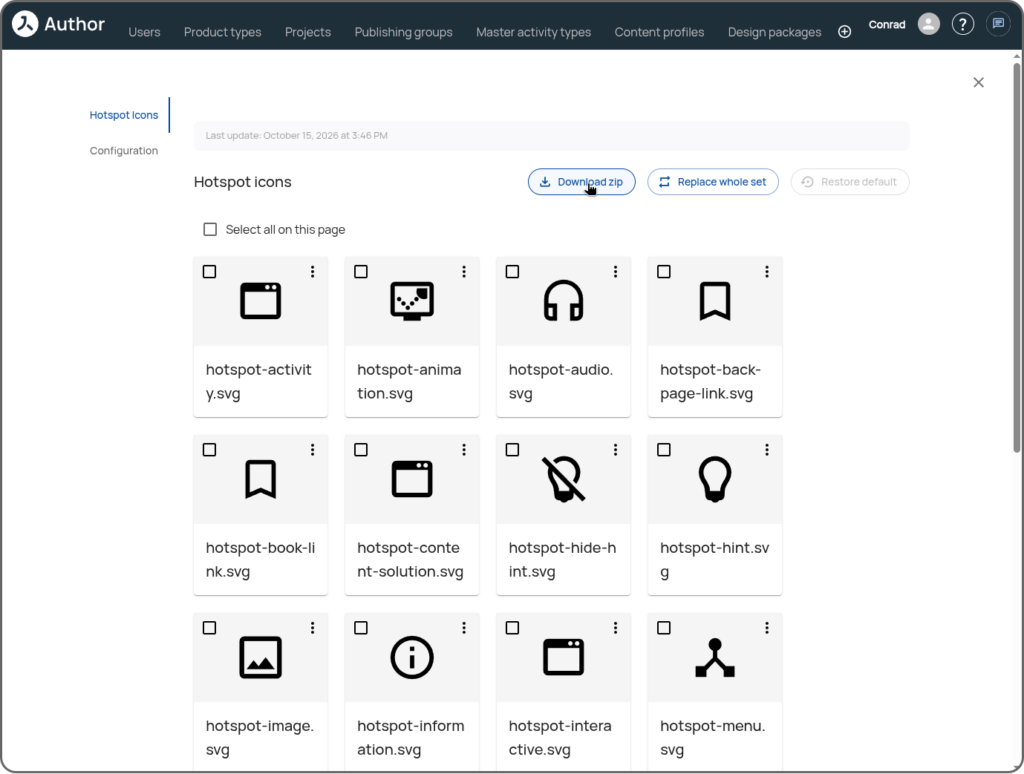
Customisable Hotspot Icons in MercuryBook
Administrators can now customise hotspot icons in the MercuryBook Design Pack, allowing publishers and institutions to align the visual presentation of interactive Digital Book elements with their branding and design requirements.
- Replace individual hotspot icons.
- Upload a partial or complete set of customised icons.
- Recompile the Design Pack to apply the updated visual elements.
This new customisation capability provides greater flexibility in maintaining visual consistency across Digital Book publications.
Improved Activity Layouts and Learner Interaction
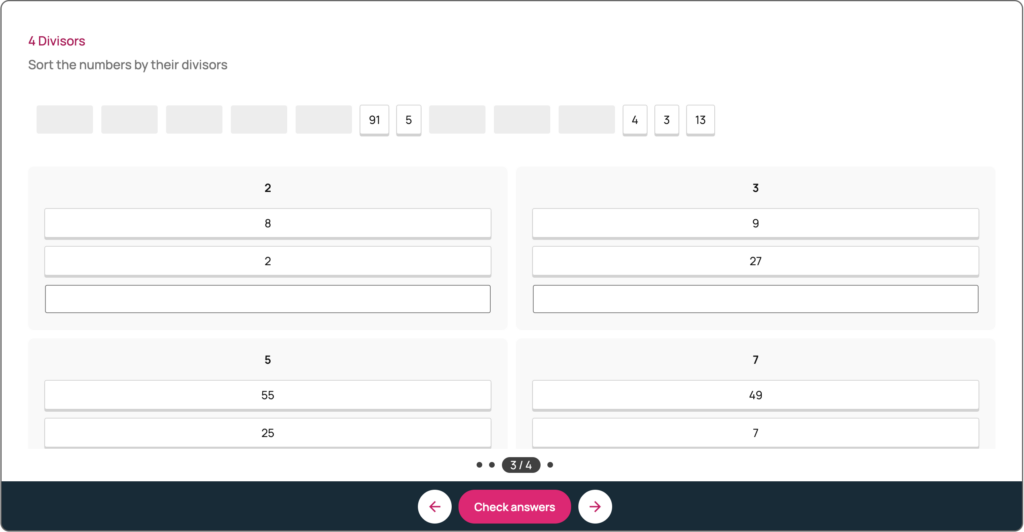
Balanced Sorting Activity Layouts
Sorting activities (Order:Sort:Sorting) using the Mercury Design Pack now automatically distribute sorting targets more evenly across rows, with up to three targets per row.
For example, four sorting targets are arranged in two rows of two, creating a more balanced visual layout. The existing mobile layout remains unchanged.
Polls and Visual Poll Results
The Mercury Design Packs now support polls, creating opportunities to incorporate opinion-based questions, classroom discussions and collaborative reflection into digital learning content.
Poll results can be presented through:
- Horizontal bar charts with legends, vote counts and interactive tooltips on desktop.
- Pie charts on mobile devices.
The display of poll results requires hosting platform support, with support in Avallain Magnet planned for a future release.
Improved Crossword Interaction on Mobile Devices
Crossword activities using Mercury and Mercury Primary now feature a dedicated panel for clues on mobile devices, making it easier for learners to consult clues while interacting with the crossword.
Updated End Result Screen Behaviour
The End Result screen is now removed when learners reset or retry an activity. A new result screen is generated following their next submission, so the displayed results reflect their latest completed attempt.
Accessibility Improvements
Avallain Author Release 54 continues Avallain’s ongoing work to reduce barriers to interaction and improve compatibility with assistive technologies.
- Improved Screen Reader Navigation: Content blocks in supported Activity Types are now structured as ordered lists, allowing screen readers to communicate their organisation more clearly.
- Video Subtitle Button Announcements: Screen readers now announce whether the subtitles button is pressed or not pressed, giving users clearer information about the current state of this control.
- Accessible PDF Form Fields: Existing fillable form fields in PDF Digital Books are now recognised and announced by screen readers.
These enhancements expand the ways in which learners using assistive technologies can navigate and interact with digital learning content.
Authoring, Publishing and Productivity Enhancements
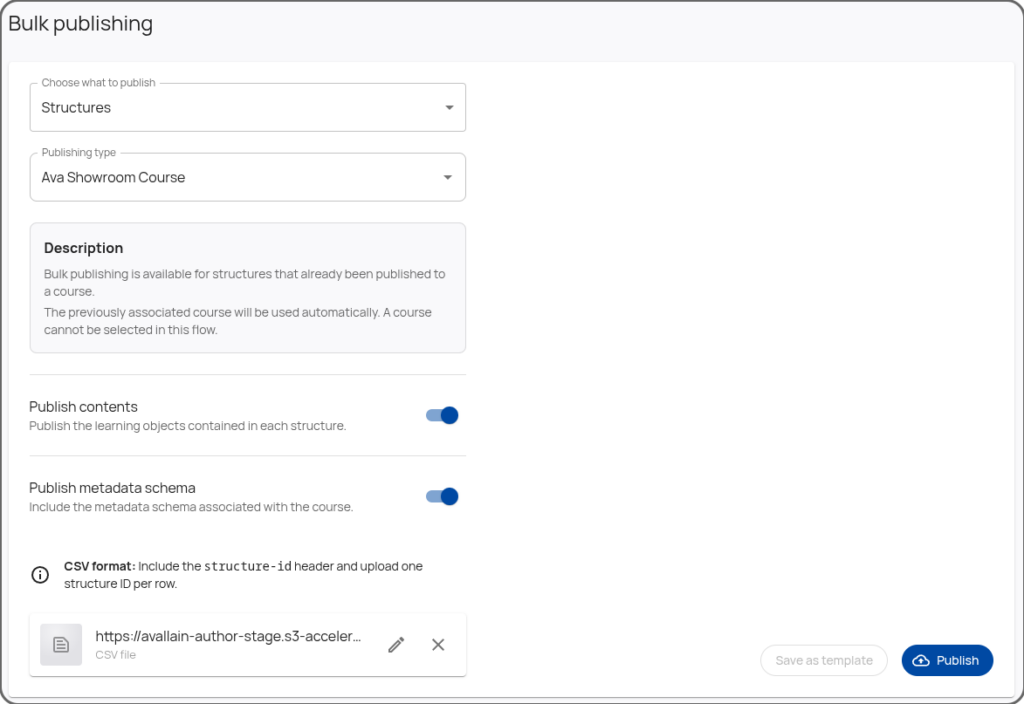
Bulk Republishing of Structures
Administrators can now republish multiple existing structures simultaneously through the Bulk Publishing tab, reducing repetitive publishing tasks.
This functionality applies to structures that have already been published and are being republished to the same courses. Administrators can also choose whether to republish the associated content and metadata schema.
Bulk Creation of File Learning Objects
Content creators can now select multiple assets directly from the Media Library and automatically generate individual File Learning Objects within their current work package.
Each Learning Object is named after its corresponding file, reducing manual work when incorporating multiple existing resources into digital learning content.
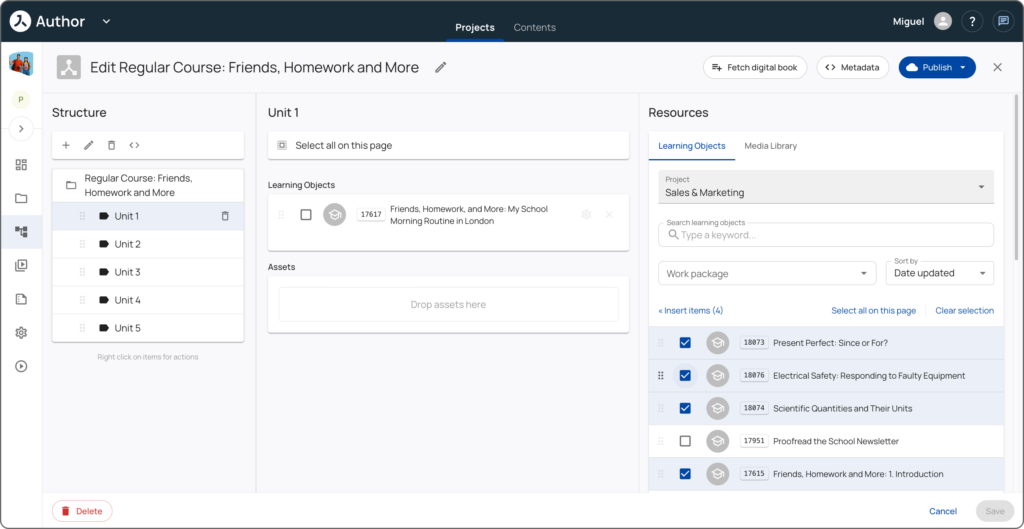
Improved Resource Selection in the Structure Tool
New checkboxes and a Select All option in the Resources pane make it easier to select and insert multiple Learning Objects or Media Library assets when building structures.
Rich Text Formatting for Image Supplement Captions
The caption field for image supplements now includes a rich text editor, giving content creators greater flexibility in formatting accompanying descriptions and supporting information.
Consistent Activity Type Options Terminology
The previously named Specific Options in Product Types and Project Activity Types have been renamed Activity Type Options, aligning terminology across the authoring interface and the User Guide.
Watch the webinar recording
Learn more about this release’s new features by watching the recording of the webinar held by our in-house experts.

Latest product releases
Explore more features recently added to our products.